About CineKit multimedia software
How can I use CineKit with my students?
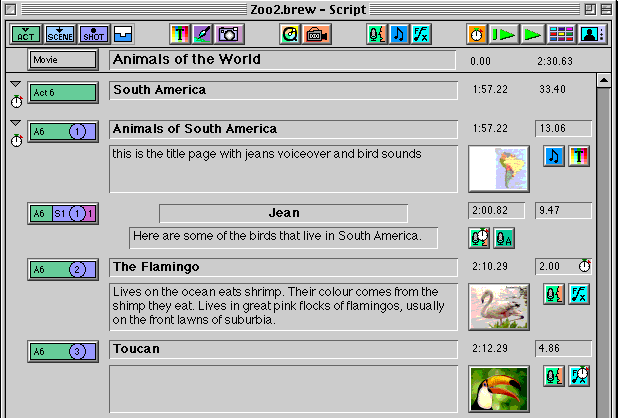
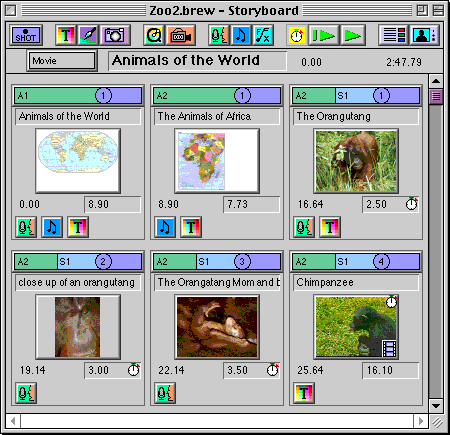
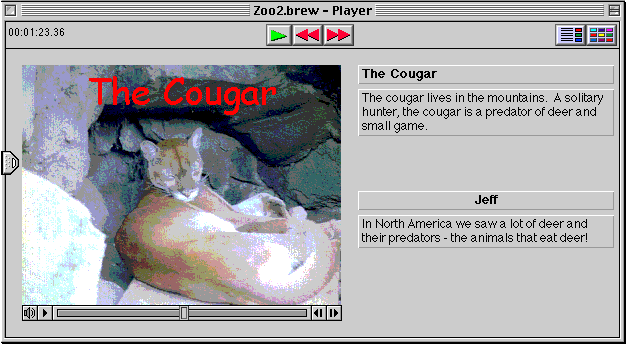
A CineKit movie is a collection of videos, sounds and pictures that can be viewed in three different ways: Script, Storyboard and Player.
The Script window looks just like a Hollywood script. It helps you shape your ideas and structure your movie at the same time. Use the Script window like professionals write screenplays: organize your movie into shots, scenes and acts that contain pictures, video, audio, titles and much more! For example, you can give your actors their cues, connect your shots with transitions and create scrolling titles all from the Script window. You can also see as much or as little detail by dynamically expanding or collapsing the entire movie.
The Storyboard window is visual. It shows each shot in the movie so if you'd rather work with pictures than words, just use the Storyboard. Like the Script window, you can import audio, create titles, make transitions and much more.
The Player window is your presentation view. You can quickly get a feel for you how your movie is developing by previewing it with the Player. Show and share your movie at any time at any size - even full screen!

Here is a list of things you can do using CineKit:
- Experience the movie making process: from script writing, to storyboarding, to prop and location planning, to shooting, editing and presentation - all with one easy-to-use program!
- Make Shakespeare come to life using video essays.
- Present science projects on the Internet using video.
- Learn to appreciate the time, effort and "reality" behind television shows; educate the consumers of television!
- Analyze commercials in media studies by making them in class.
- Enhance your school's web site with a documentary video.
- Teach storytelling in English using group moviemaking projects.
- ENO provides you with an environment for electronic communication with a province-wide community of teachers. Using our software, you can enhance your communications with video!
"This would be extremely useful across the curriculum. It would be a wonderful asset to our school." English, Drama, ESL High school Teacher, Toronto .
"It's very easy to use, it's far easier than Hyperstudio. It has a lot of potential because you can edit from any point and you can learn while you are doing it and you can think up more ideas as you learn more about the program itself." Grade 2 Teacher, Toronto.
"We made 2 movies in three days - easy, easy, easy! ... We didn't need a manual for this product. We've worked with other products (Videoshop, Premiere) and in comparison, this was easier one to get up and running." High School Communications Teacher, Cobourg.
"This is accessibility! Accessible technology - building up your self esteem. You make a movie and you're still not a graphic artist or a film student. ... Step above video ... easier than video, more control ... so much more intelligent than just video, much more in control. ... We could put it on all the machines and (students could) look at each others work. ... Training for the future world!" Public School Teacher-Librarian, Toronto.
"I think it really would help cover the strands of the new curriculum. ... I like the breakdown of it, especially the script. Right now, we're giving them papers ... some kids they don't want to put it down on pen and paper. Here they can put it down and move it around." Grade 7&8 Teacher, Port Elgin.
Go
to Introduction  Go
to Application form
Go
to Application form